
By Deeyoung MaLinkedInWebsiteJuly 9, 20267 min readTemplates & ToolsReviewed July 16, 2026
Free Shift Schedule Templates: Blank PDF Download
Download a blank shift schedule template PDF for weekly planning, then use a free Maxuod Shift account when you need saved schedules and PDF, CSV, or XLSX exports.
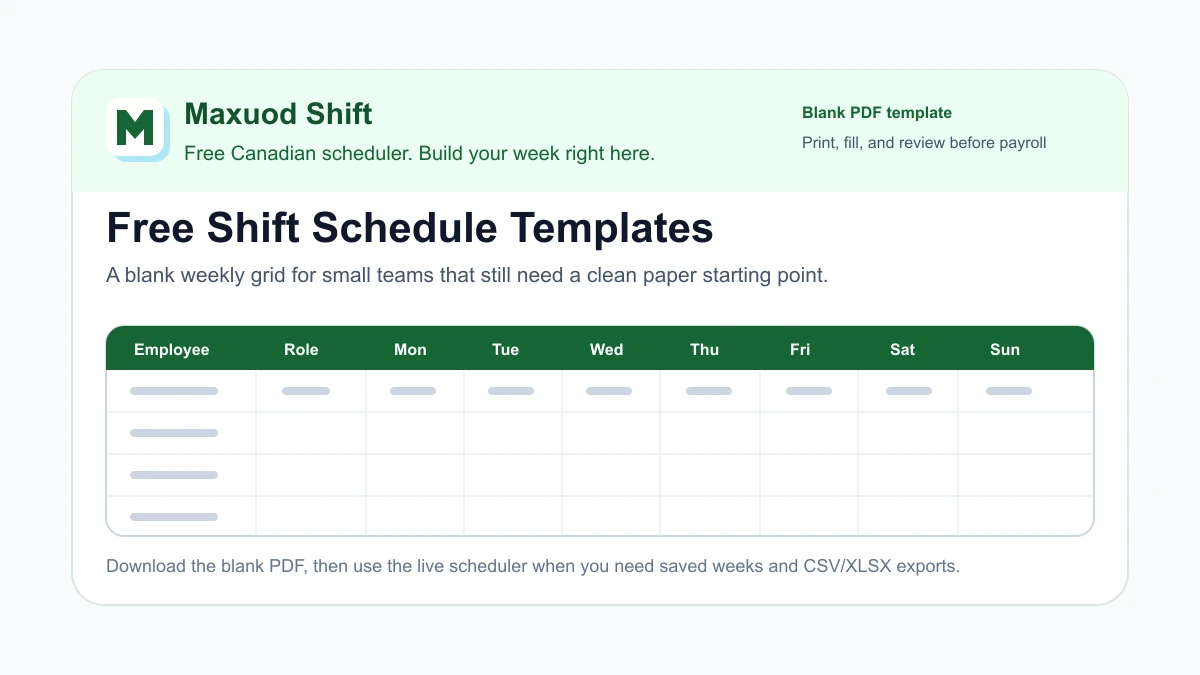
If you searched for shift schedule templates, you probably need something practical right now: a blank weekly grid you can print, fill in, and hand to a team without opening a full scheduling system first.
This page gives you a free blank PDF template with the Maxuod Shift name, logo, and slogan. It is meant for small restaurants, cafes, food trucks, retail shops, clinics, and hourly service teams that still want a clean paper starting point.
A blank template is useful for a first draft, a manager meeting, a training week, or a quick backup plan. When the same week needs saved history, PDF download, print, CSV export, XLSX export, hour totals, roles, or payroll handoff notes, the free Maxuod Shift web app can carry the same schedule in a live format.
Download the blank PDF template
The PDF is intentionally empty. It gives you space for the week, location, manager, employee names, roles, Monday through Sunday assignments, weekly totals, coverage notes, payroll or export notes, and manager review notes.
Print one copy before drafting. Keep a second clean copy for the final version. If your business keeps paper records, write the publish date and manager initials before filing the week.
What to write before assigning names
The fastest way to make a paper schedule messy is to start with names before you know the week. Fill the planning fields first, then assign people.
| Field | What to decide | Why it helps |
|---|---|---|
| Week of | The exact Monday or start date for the schedule. | Prevents staff from using last week's copy by mistake. |
| Location | The shop, department, truck, station, or team covered by the template. | Useful when a manager runs more than one roster. |
| Manager | The person who approves the final copy. | Gives payroll and staff one owner for questions. |
| Coverage notes | Busy days, events, weather risk, delivery windows, patio demand, or holiday hours. | Shows why certain shifts need more coverage. |
| Payroll notes | Items to review before exporting or sending hours. | Keeps schedule changes from disappearing before closeout. |
How to use the template for a real week
- Write the week, location, and manager before adding any shifts.
- Mark open, close, rush, prep, delivery, support, and manager coverage by day.
- Add employee names only after the role coverage is clear.
- Write shift times in the day cells and add a rough weekly total before publishing.
- Use the notes boxes for call-outs, swaps, late edits, payroll questions, and final approval.
For a small team, this is often enough for a draft. The value is not fancy formatting. The value is one shared page that shows who works, what role they cover, and what still needs review.
When a blank template is enough
A printable shift schedule template is a good fit when the week is simple, the team is small, and the manager mainly needs a visible draft. It also works well during hiring, onboarding, seasonal training, or a meeting where people are building the week together.
Paper also helps when the internet is down, a team is new to digital tools, or the manager wants to sketch coverage before committing to the final schedule.
The limit is maintenance. Once staff swap shifts, actual hours change, a person works close to overtime, or payroll needs a file, a blank PDF starts to create copy-and-check work.
When to move the template into Maxuod Shift
Use the blank PDF when you want a quick starting point. Move the week into Maxuod Shift when you want the same plan to live somewhere you can save, adjust, print, and export.
With a free registered Maxuod Shift account, small teams can build schedules, save weeks, review roles and hour totals, print or download PDF copies, and export schedule data in CSV or XLSX format. That makes the handoff cleaner when the schedule needs to reach staff, payroll, or a bookkeeper.
The registered workflow is still light. It is not asking you to replace payroll or buy a large workforce system just to make a weekly roster. It simply gives the template a place to stay editable after the first draft.
Start with the free scheduler when you are ready to turn the template into a live week. If you want a broader planning page first, use the weekly shift schedule template or the employee schedule maker.
Use a complete rotation when the blank grid is not enough
A blank week does not tell a 24-hour operation which crew takes days, evenings, nights, or days off. Start with the 12-hour 2-2-3 rotation template when four teams will alternate day and night blocks. Use the 8-hour 24/7 rotation template when five teams will share day, evening, and night coverage.
Both resources include a visible cycle, per-team hour totals, daily coverage checks, an editable CSV, and a print-to-PDF option. They are coverage baselines, not legal, fatigue, or staffing-sufficiency determinations; add relief and verify the actual dated week before publishing.
Keep one clean final version
No matter which format you use, name one final copy. Put the final schedule somewhere staff can find it, keep the manager notes with it, and avoid sending several slightly different versions.
If the final schedule changes after publishing, write what changed, who approved it, and whether the change affects payroll or export notes. A simple paper trail is often the difference between a normal correction and a confusing Friday closeout.
For related planning, read the weekly work schedule guide, the weekly restaurant schedule review checklist, and the restaurant payroll CSV template guide.
FAQ
Is the shift schedule template PDF free?
Yes. The blank PDF template on this page is free to download and print. It is a simple starting point for weekly shift planning.
What is included in the blank shift schedule template?
The PDF includes week, location, manager, employee, role, Monday through Sunday shift cells, weekly total, coverage notes, payroll or export notes, and manager review notes.
Can I export schedules from Maxuod Shift after using the template?
Yes. A free registered Maxuod Shift account lets small teams save schedules, print or download PDF copies, and export schedule data in CSV or XLSX format.
When should I stop using only a blank schedule template?
Move into a live scheduler when swaps, actual hours, hour totals, payroll handoff, saved history, or repeated edits start making the paper copy hard to maintain.
Written as an operator checklist, not legal or payroll advice. Confirm local rules before changing pay, holiday, or tip policies.
Related guides
How to Make a Shift Schedule: A 7-Step Small-Team Workflow
Learn how to make a shift schedule in seven practical steps, then choose a free online shift schedule maker for weekly or monthly planning.
Weekly Restaurant Schedule Review: A 20-Minute Walkthrough
Review a restaurant schedule in 20 minutes with a worked walkthrough for coverage, availability, fairness, hours, backups, and payroll handoff.
Is Free Scheduling Software Enough for Your Small Business?
Test whether a free scheduling plan fits your Canadian small business. Check your full roster, weekly changes, saved history and payroll export needs.
Build the schedule before the week gets loud
Maxuod Shift keeps employee availability, overtime risk, payroll estimates, and tip distribution in the same place for small restaurant teams.