
By Deeyoung MaLinkedInWebsiteMay 23, 202611 min readTemplates & ToolsReviewed October 11, 2026
Homebase vs Maxuod Shift for Canadian Small Teams
Compare Homebase and Maxuod Shift for Canadian schedules, actual time, payroll handoff, pricing, tips, HR, and small-team workflow fit.
Key takeaways
- Homebase is the stronger fit when actual clock-ins, timesheet corrections, staff communication, HR, and US payroll belong in one system.
- Maxuod Shift is the lighter fit when a Canadian owner-manager needs the weekly schedule, overtime visibility, tip context, and reviewed exports without a full workforce platform.
- Homebase Payroll is currently US-only, and the reviewed Homebase pricing page does not label its dollar currency; Canadian buyers should confirm both before purchasing.
Choose Homebase when the weekly argument is about what actually happened: who clocked in late, which punch needs approval, whether PTO was recorded, and how those timesheets reach a broader hourly-work system. Choose Maxuod Shift when the job is smaller and earlier: build next week's Canadian schedule, see the planned hours, review overtime and tips, and hand a clean file to the person who runs payroll.
That is the useful boundary. Homebase covers more operating ground; Maxuod Shift asks a manager to adopt less software. Neither is the default winner for every Canadian restaurant.
Independent comparison
Homebase and its product names are trademarks of their respective owner. Maxuod Shift is not affiliated with, endorsed by, or sponsored by Homebase. Capabilities, prices, limits, and availability can change; official vendor pages remain the purchase source of truth. Facts reviewed: 2026-07-25.
If your decision includes other vendors, compare employee scheduling software in Canada by roster size, actual-time ownership and the payroll handoff before narrowing it to Homebase and Maxuod Shift.
The deciding question is planned time or actual time
A schedule is a promise. A timesheet is a record of what happened. The products overlap at scheduling, but they place different weight on the second half of that sentence.
Homebase's free-scheduling material connects the published schedule to employee availability, notifications, clock-ins, and timesheets. Its paid plans expand time tracking, communication, labour controls, onboarding, and HR. That reduces system switching when the same manager owns scheduling and attendance correction.
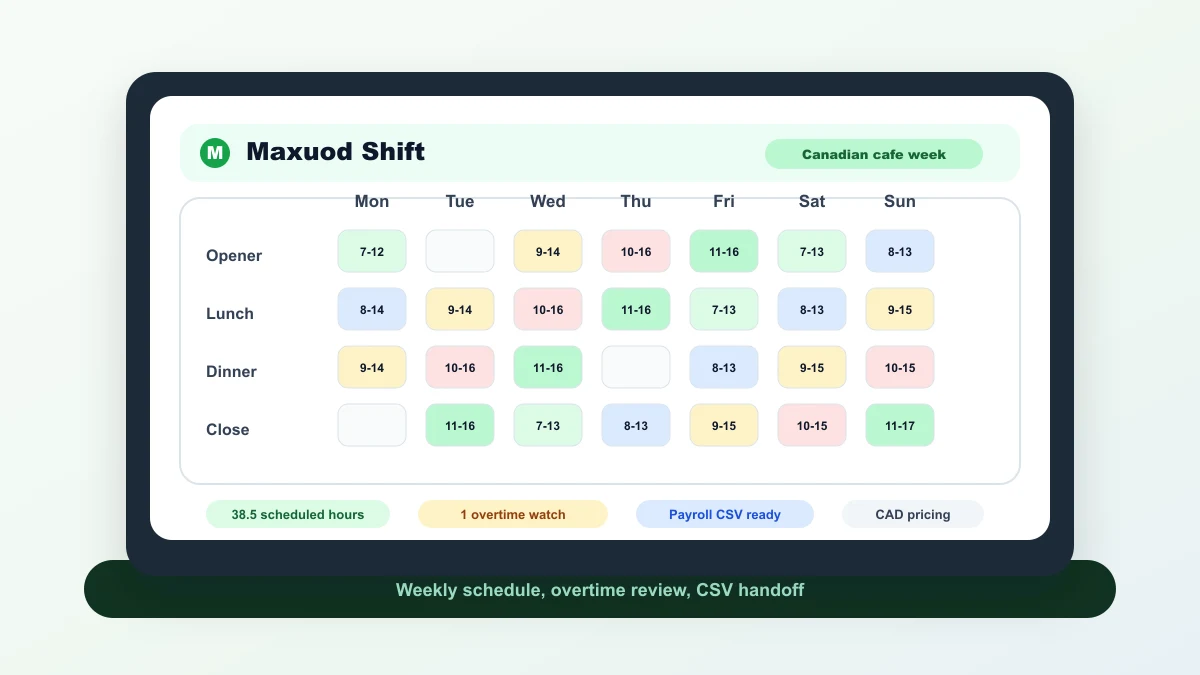
Maxuod Shift concentrates on the approved week and the handoff around it. It can show planned hours, role coverage, overtime exposure, wage estimates, tip context, and exportable records. Its native clock-in can record punches against a published shift and add optional Supporter location or WiFi review flags, but it is not a substitute for a payroll-grade time clock. This product scope was checked on October 11, 2026 against the published iPhone app and current implementation.
Homebase and Maxuod Shift at a glance
| Decision point | Homebase | Maxuod Shift |
|---|---|---|
| Best-fit operating problem | Hourly teams that want scheduling connected to time tracking, communication, HR, and optional payroll workflows. | Independent Canadian restaurants, cafes, retail counters, and other small hourly teams. |
| Free entry | $0 for one location; Up to 10 employees on the reviewed pricing page. | CAD $0; Up to 12 active employees, one location, and eight weeks of saved history. |
| Pricing shape | Per-location plans with optional add-ons. Canadian buyers should confirm checkout and invoice currency before comparing totals. | Free saved account with an optional Supporter plan. Supporter is CAD $14.99 monthly or CAD $149.99 yearly. |
| Time record | Basic time tracking is available on Basic; paid plans add more advanced controls. | The web product does not replace a full attendance platform or payroll-grade time clock. |
| Payroll boundary | The official Homebase payroll page says payroll is available across the 50 US states and Washington, DC, not Canada. | Prepares reviewed records for a bookkeeper or payroll provider; does not move money, file taxes, or remit deductions. |
| POS and HR | POS integration is listed on Basic, with the exact workflow depending on the supported system. Paid plans add onboarding, documents, HR guidance, and related controls. | No direct POS sync is promised. No recruiting, onboarding, document-management, or HR case-management suite. |
Do not compare the free-plan employee limits alone. A ten-person restaurant that needs verified actual punches may get more usable value from Homebase Basic than from a scheduling-only workflow. A twelve-person restaurant that already has a separate clock and payroll provider may prefer Maxuod Shift's narrower handoff.
Where Homebase is materially stronger
- Actual-time workflow: basic time tracking begins on the free plan, with deeper controls in paid tiers.
- One hourly-team platform: communication, PTO, onboarding, documents, HR support, labour controls, POS links, and payroll-related workflows sit closer together.
- Manager corrections: a team that spends Friday fixing missed punches needs more than a clean planned schedule.
- US payroll: eligible US employers can evaluate Homebase Payroll instead of exporting to another provider.
Those capabilities are not bloat when a manager uses them. If missed punches, attendance follow-up, staff chat, onboarding, and schedule publication already cross four tools, Homebase may remove more work than a lighter scheduler.
For an existing Square operator, compare the connected record before adding another system. See Square-connected staff work versus an independent schedule, including how the working owner affects member counts.
Where Maxuod Shift is enough
Maxuod Shift makes sense when the restaurant already knows where actual time and payroll live. The manager needs one dependable place to plan the week, show employees their schedule, watch totals before publication, calculate or review tips with written policy context, and export records.
The no-account scheduler is useful for a real first test: one temporary week, up to six employees, hour totals, and PDF output. The free saved account expands that to 12 active employees, one location, eight weeks of history, tips, PDF/print, CSV/XLSX, roles, and calendar monitoring.
The boundary matters. Maxuod Shift does not run Canadian payroll, prove that a scheduled shift was worked, connect to a POS, file deductions, or promise compliance. If any of those jobs belongs in the scheduling purchase, the narrower tool is not enough.
A Halifax cafe test: Thursday plan versus Monday payroll
Consider an illustrative 11-person Halifax cafe. The owner publishes shifts on Thursday. Staff record actual time in an existing POS clock, and an external bookkeeper runs payroll every second Monday.
With Maxuod Shift, the owner can build next week, spot a closer approaching a high weekly total, record roles, print the kitchen copy, and export the approved scheduling record. The POS and bookkeeper still own actual time and payroll. That separation is workable because the cafe already has those systems.
Now change one fact: missed punches and availability requests arrive in text messages, and the owner spends two hours reconciling the POS clock. Homebase becomes the more serious candidate because time tracking, availability, timesheets, notifications, and broader manager controls address the actual failure. The answer changed because the operating problem changed, not because one product won more feature rows.

Canadian buyers need two extra checks
Payroll geography
The official Homebase payroll page says payroll is available across the 50 US states and Washington, DC, not Canada. A Canadian team can still evaluate Homebase for scheduling and time tracking, but it should not treat the Payroll add-on as a Canadian payroll commitment.
Currency
The reviewed pricing page publishes dollar amounts without labeling the currency. Canadian buyers should confirm checkout and invoice currency before comparing totals. Record the checkout currency, tax, billing cycle, add-ons, and location count before comparing it with Maxuod Shift's published CAD price.
Province-specific overtime, public-holiday, reporting-pay, break, and tip rules still require official provincial sources and professional review where needed. Product marketing is not a legal rule engine.
A fair decision tree
- Do actual clock-ins and timesheet corrections belong in this purchase? If yes, test Homebase first. If no, continue.
- Do you need HR, onboarding, staff communication, or a supported POS connection in the same platform? If yes, Homebase is structurally stronger.
- Is the team Canadian, one-location, and mainly trying to publish a weekly schedule and hand reviewed files to an existing payroll process? Test Maxuod Shift.
- Can neither test complete one real service week cleanly? Keep the current system and compare another option instead of forcing a migration.
Run the test with one upcoming week, one availability conflict, one shift change, and one payroll handoff. A demo schedule with perfect data hides the expensive parts.
Sources for the planned-time decision
- Homebase pricing: plan prices, free employee limit, trial, plan capabilities; checked 2026-07-25.
- Homebase Payroll: United States payroll availability, payroll pricing; checked 2026-07-25.
- Homebase free scheduling: scheduling, notifications, availability, actual time workflow; checked 2026-07-25.
- Maxuod Shift pricing: used here to verify the planned-time and export boundary; free account limit, Supporter price, history and employee limits; checked 2026-07-25.
- Maxuod Shift help centre: used here to verify the planned-time and export boundary; product workflow, export boundaries, employee access; checked 2026-07-25.
- Maxuod Shift scheduler: used here to verify the planned-time and export boundary; guest scheduling path, weekly scheduling workflow; checked 2026-07-25.
Continue with the Maxuod Shift scheduler, review current Maxuod pricing, or compare the restaurant-stack question in 7shifts vs Maxuod Shift. Product steps and current boundaries are documented in the help centre.
FAQ
Should a Canadian restaurant choose Homebase or Maxuod Shift?
Choose Homebase when actual punches, timesheets, team communication, HR, and a broader hourly-work platform matter. Choose Maxuod Shift when the manager mainly needs a focused Canadian weekly schedule, tip and overtime review, and CSV or XLSX handoff.
Does Homebase have a free plan?
The official pricing page checked July 24, 2026 lists Basic at $0 for one location and up to 10 employees, with basic scheduling and basic time tracking. Confirm current limits and billing currency on the live page.
Can Homebase run payroll in Canada?
The official Homebase Payroll page currently says payroll is available across the 50 US states and Washington, DC. Canadian teams need a separate Canadian payroll provider.
Does Maxuod Shift replace a payroll time clock?
No. Maxuod Shift prepares schedules, hour reviews, tip context, wage estimates, and exports. It does not replace payroll-grade attendance controls or run payroll.
Written as an operator checklist, not legal or payroll advice. Confirm local rules before changing pay, holiday, or tip policies.
Related guides
7shifts vs Maxuod Shift for Canadian Restaurants
Choose between 7shifts and Maxuod Shift by testing what matters: a POS and time-clock stack versus a focused Canadian schedule and export.
Sling vs Maxuod Shift for Canadian Restaurants
Compare Sling and Maxuod Shift for Canadian restaurants: free limits, USD versus CAD pricing, communication, time tracking, and payroll export.
Free Scheduling Software in Canada: Compare the Plan Limits
Compare free scheduling plan limits for Canadian teams: employee counts, locations, exports and upgrade gates. Separate ongoing free plans from trials.
Build the schedule before the week gets loud
Maxuod Shift keeps employee availability, overtime risk, payroll estimates, and tip distribution in the same place for small restaurant teams.